Time Sync Interface
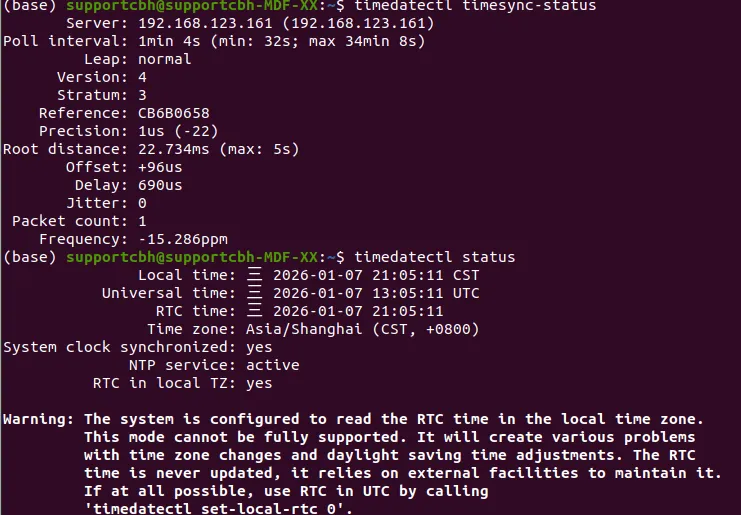
The PC1 inside G1 features a built-in time synchronization source. Every time G1 is set to WiFi mode, this clock source performs network time synchronization. You can use Chrony (recommended) or Systemd-Timesyncd to synchronize the clock with G1’s PC1.
This document applies to G1 robots with firmware version greater than 1.5.1.
Installing and Configuring Chrony Clock Source
Section titled “Installing and Configuring Chrony Clock Source”First, you need to install Chrony:
sudo apt-get install chronyModify the configuration file /etc/chrony/chrony.conf and add the following configuration:
# Use internal network NTP serverserver 192.168.123.161 iburst prefer
# If the network is not ready at startup, allow subsequent synchronizationmakestep 1.0 3
# Allow hardware clock synchronizationrtcsync
# Logs (useful for debugging)log tracking measurements statisticslogdir /var/log/chrony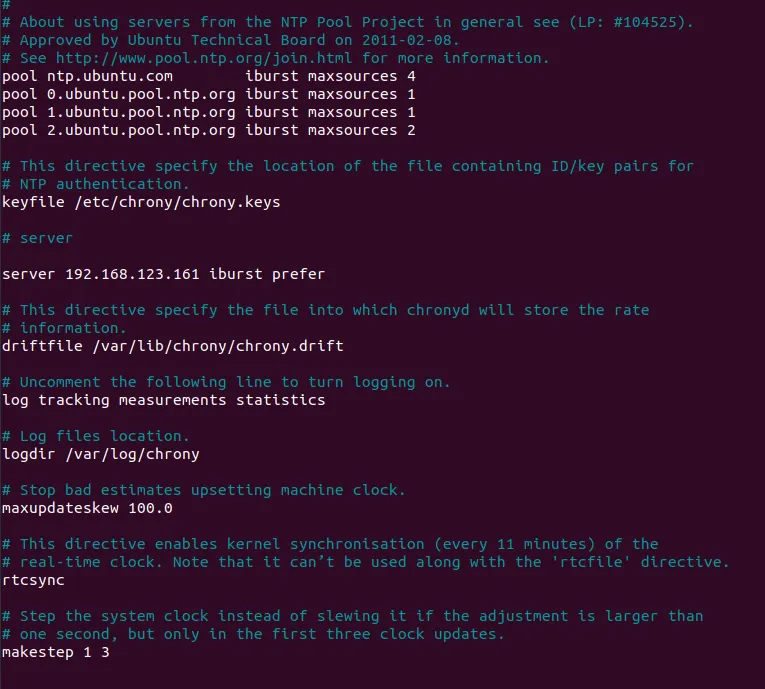
Restarting Chrony and Verifying Sync Status
Section titled “Restarting Chrony and Verifying Sync Status”sudo systemctl restart chronychronyc sources -vDuring the step of restarting Chrony, you may encounter this issue:
(base) supportcbh@supportcbh-MDF-XX:~$ sudo systemctl status chrony.service● chrony.service - chrony, an NTP client/server     Loaded: loaded (/lib/systemd/system/chrony.service; enabled; vendor preset: enabled)     Active: failed (Result: core-dump) since Wed 2026-01-07 20:24:23 CST; 5s ago       Docs: man:chronyd(8)             man:chronyc(1)             man:chrony.conf(5)    Process: 36514 ExecStart=/usr/lib/systemd/scripts/chronyd-starter.sh $DAEMON_OPTS (code=exited, status=0/SUCCESS)    Process: 36522 ExecStartPost=/usr/lib/chrony/chrony-helper update-daemon (code=exited, status=0/SUCCESS)   Main PID: 36519 (code=dumped, signal=SYS)
Jan 07 20:24:23 supportcbh-MDF-XX systemd[1]: Starting chrony, an NTP client/server...Jan 07 20:24:23 supportcbh-MDF-XX chronyd-starter.sh[36516]: WARNING: libcap needs an update (cap=40 should have a name).Jan 07 20:24:23 supportcbh-MDF-XX chronyd[36519]: chronyd version 3.5 starting (+CMDMON +NTP +REFCLOCK +RTC +PRIVDROP +SCFILTER +SIGND +ASYNCDNS +SECHASH +IPV6 -DEBUG)Jan 07 20:24:23 supportcbh-MDF-XX chronyd[36519]: Loaded seccomp filterJan 07 20:24:23 supportcbh-MDF-XX systemd[1]: Started chrony, an NTP client/server.Jan 07 20:24:23 supportcbh-MDF-XX systemd[1]: chrony.service: Main process exited, code=dumped, status=31/SYSJan 07 20:24:23 supportcbh-MDF-XX systemd[1]: chrony.service: Failed with result 'core-dump'.
Chrony called instructions that are prohibited by the system security filter. Solution: Disable Seccomp filtering. Modify /etc/default/chrony to fix this issue.
DAEMON_OPTS="-F 0"To verify whether Chrony has established synchronization with the PC1 synchronization source, use the following commands.
chronyc sources -Vchronyc tracking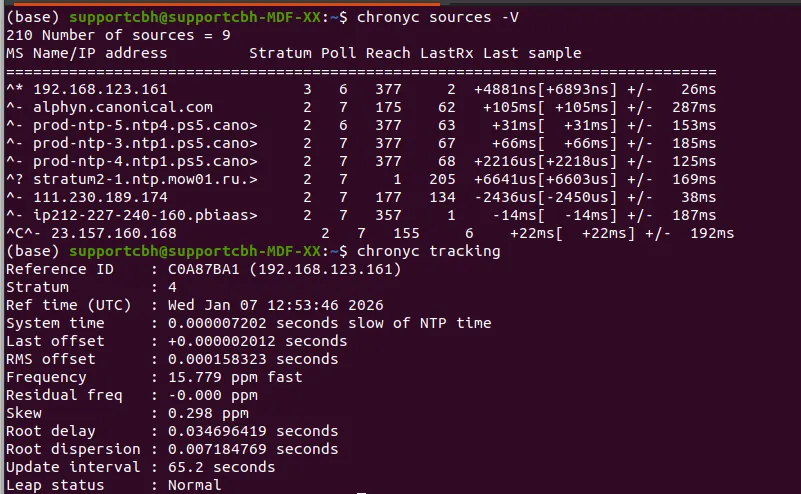
Installing and Configuring Systemd-Timesyncd Clock Source
Section titled “Installing and Configuring Systemd-Timesyncd Clock Source”Edit the configuration file /etc/systemd/timesyncd.conf with the following content:
[Time]NTP=192.168.123.161FallbackNTP=PollIntervalMinSec=32PollIntervalMaxSec=2048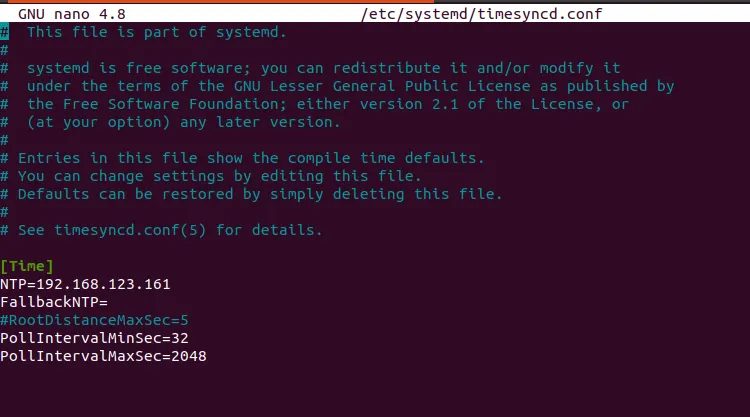
Subsequently, enable and restart the service:
sudo systemctl enable systemd-timesyncdsudo systemctl restart systemd-timesyncdVerify synchronization status: